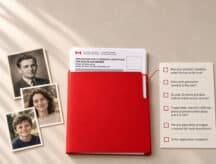
Submitting a Canadian citizenship by descent application? Double check these seven details first

If you're one of the millions of Americans who can now apply for a citizenship certificate under Canada's new citizenship by descent law, you may have spent a considerable amount of time preparing your application.
You've gathered the documents. You've filled out the forms. Before you seal the envelope, check your application package one more time for these common errors.
Some are easy to fix. But if you miss them, they can cost you months, since an application with one of these errors will likely be returned.
Get a Free Consultation on Applying for Proof of Canadian Citizenship
Your documents are from the original authority
In June 2026, IRCC updated its document checklist (CIT 0014) to specify that supporting documentation must come from the original authority. That means the civil registry, vital statistics office, or provincial archive that created or holds the record.
It also specified that “your application cannot be supported solely by third-party records.”
That means printouts from a subscription genealogy platform, even one showing the same information, does not meet this standard on its own.
Ensure you have the right documentation before submitting an application. If the necessary documentation no longer exists, include a written explanation and proof you tried to get it, such as archive correspondence or a no-record letter.
You have high-resolution, colour photocopies
IRCC needs photocopies of your supporting documents. Those photocopies need to be high-resolution and in colour. A black-and-white copy is a common reason proof of citizenship applications get sent back.
Don't submit original documents unless the instructions specifically ask for them, as what you send in generally is not returned.
Your photos match the required specifications
Wrong photo specifications are one of the top reasons applications get returned.
Citizenship photos have their own rules: precise dimensions, a plain white or light background, and the name of the person, and of the photographer, as well as the date, stamped on the back.
A U.S. passport photo, selfie, or AI-altered image won't work . You can check our article on the correct photo specifications here.
You have paid the fees, and attached the receipt
Your paper application may go in by mail, but the fee needs to be paid online, through IRCC's payment portal.
This is a mandatory step. Don’t forget to print the receipt once you've made the payment and include it in your paper application package.
You have filled in every section of the form
An empty field or section reads as a missing answer, and may lead to your application being dismissed as incomplete and returned.
If a question or section on the form doesn't apply to your situation, write "N/A" instead of leaving it blank.
Check the signature and date
Forgetting to sign the application is a surprisingly common mistake, and an unsigned form gets returned outright.
Use black ink, since that's what the form CIT 0001 specifies. Don’t forget to fill in the date too: it can't be more than 90 days old by the time IRCC receives it, and it can't be dated in the future.
Keep a copy of everything, and track the package
Keep photocopies of your application and documents before you send them.
Finally, IRCC recommends using a courier or postal service with tracking, so you have proof the package reached IRCC's office.
Getting these details right the first time matters, especially because, as of July 2026, proof of citizenship applications are taking 19 months to process.
If you want a second set of eyes before you submit, a licensed immigration lawyer or consultant can provide personalized guidance.
This article is for general information purposes only and does not constitute legal advice. Contact Cohen Immigration Law for a full assessment of your situation.
Get a Free Consultation on Applying for Proof of Canadian Citizenship

- Do you need Canadian immigration assistance? Contact the Contact Cohen Immigration Law firm by completing our form
- Send us your feedback or your non-legal assistance questions by emailing us at media@canadavisa.com